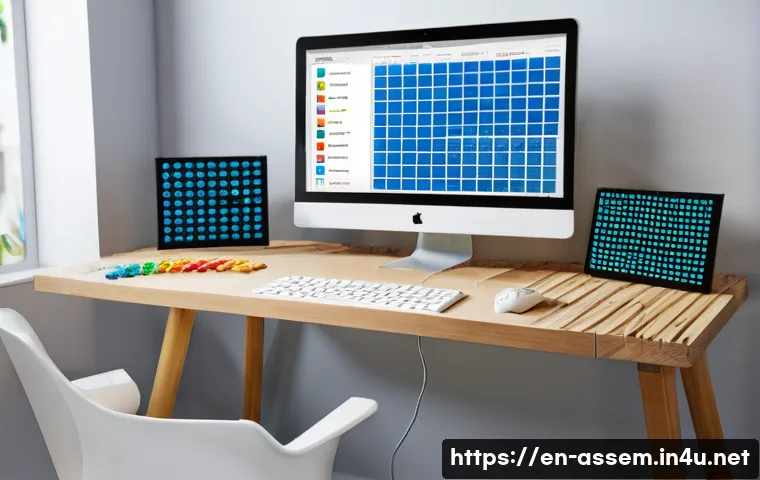
Exploring the world of LEGO creation has never been easier thanks to innovative apps designed to unleash your imagination. Whether you’re a seasoned builder or just starting out, these digital tools offer endless possibilities to design, customize, and bring your LEGO ideas to life without the need for physical bricks.
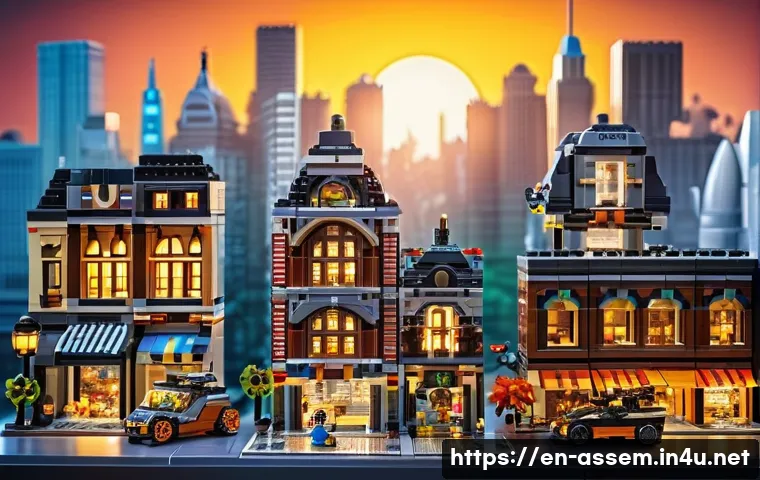
The intuitive interfaces and interactive features make it fun and accessible for all ages, transforming your creative process into an engaging experience.
Plus, with constant updates and community sharing options, you can stay inspired and connected with fellow enthusiasts worldwide. Curious about how to maximize these apps for your next masterpiece?
Let’s dive in and discover all the exciting ways you can build beyond the bricks!
Getting Started with Digital LEGO Design
Choosing the Right App for Your Needs
When diving into the world of digital LEGO building, the first step is selecting an app that fits your style and goals. Some apps focus on realistic brick building with physics and part libraries, while others emphasize creativity with fewer constraints.
For example, if you want a near-authentic LEGO experience, apps like LEGO Digital Designer or BrickLink Studio are fantastic because they offer extensive brick catalogs and precise snapping tools.
On the other hand, if you prefer more artistic freedom, apps such as Mecabricks allow you to create custom models with smooth rendering and animation features.
Picking the right platform can drastically affect your workflow and enjoyment, so consider whether you want detailed accuracy or open-ended design flexibility.
Mastering Basic Controls and Features
Once you’ve settled on an app, getting comfortable with its interface is key. Most digital LEGO apps include drag-and-drop brick placement, rotation controls, and color customization.
It might feel overwhelming at first, but spending time exploring tutorials and experimenting with simple builds can speed up your learning curve. Personally, I found that practicing with basic shapes like cubes and towers helped me understand how bricks connect and how to manipulate the 3D environment.
Many apps also provide snapping guides and grid systems to help you align pieces perfectly, which is a lifesaver when building complex structures. Don’t hesitate to take advantage of undo/redo functions to try out different ideas without fear of messing up your design.
Utilizing Templates and Pre-Built Models
To boost creativity and save time, many apps offer templates or pre-built components that you can customize. These are especially useful if you’re new or looking to create something quickly.
For instance, you might find sets of wheels, windows, or even entire vehicle bases ready to tweak. I’ve used these as starting points and then modified colors, sizes, or added unique details, which helped me build more sophisticated models faster.
Templates can also spark inspiration when you’re stuck, showing you design possibilities you might not have thought of. Just remember that mixing pre-made elements with your own custom bricks often results in the most original creations.
Advanced Customization Techniques in LEGO Apps
Color and Texture Options Beyond the Basics
One of the joys of digital LEGO apps is the vast palette of colors and textures available compared to physical bricks. You can experiment with shades that LEGO hasn’t released yet or apply metallic, transparent, or even glowing effects to parts.
From my experience, tweaking colors digitally encourages a lot of trial and error, but it’s worth it because you can create models that stand out visually.
Some apps also let you import custom textures or decals, which opens the door to personalized stickers or surface patterns that would be impossible to replicate in real life.
This feature is a game changer when designing themed models like futuristic vehicles or fantasy castles.
Integrating Animation and Movement
Taking your digital LEGO model to the next level often involves adding animation or movable parts. Several apps support basic hinge joints, rotating wheels, or sliding doors, allowing you to simulate how your build would function physically.
I remember creating a small crane with moving arms and a rotating base—seeing it come alive on screen made the whole building process more rewarding. Some platforms even let you create stop-motion animations or export your model to game engines for interactive experiences.
These dynamic features not only enhance creativity but also provide a deeper understanding of mechanical design principles.
Collaborating with Other Builders Online
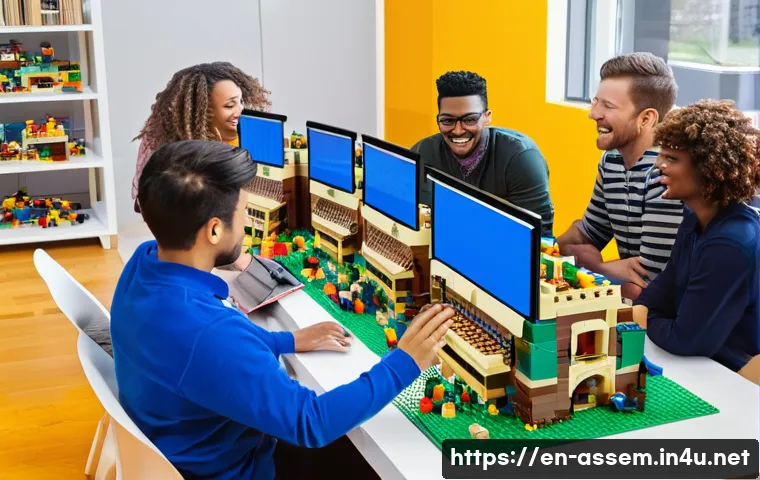
The social aspect of digital LEGO building is incredibly motivating. Many apps feature community hubs where you can share your models, download others’ creations, and get feedback.
Joining these online groups has been one of the highlights of my building journey because it connects you with people who share your passion. You can participate in themed challenges, exchange tips, or even team up on larger projects.
Plus, seeing how others approach design problems broadens your perspective and inspires fresh ideas. Don’t hesitate to upload your works-in-progress and ask for advice—collaboration often leads to unexpected improvements.
Optimizing Your Workflow for Larger Projects
Organizing Parts and Building in Sections
When tackling complex models, keeping your project organized is crucial to avoid confusion and frustration. I found it immensely helpful to build in smaller sections or modules, which you can then assemble into the final structure.
This method allows you to focus on details without losing track of the bigger picture. Most apps support grouping bricks or locking certain areas to prevent accidental changes.
Additionally, labeling parts or color-coding sections within the app helps maintain clarity, especially if you return to the project after a break. This approach mimics real-world architectural practices and makes large builds manageable.
Saving Versions and Backups Regularly
One lesson learned the hard way is the importance of saving multiple versions of your model. Digital tools can sometimes crash or updates might cause unexpected glitches, so having backups ensures you don’t lose hours of hard work.
I like to save incremental versions labeled with dates or milestone names—this way, I can revert to a previous state if needed or compare progress over time.
Some apps even offer cloud saving or automatic backups, which adds an extra layer of security. Developing a consistent saving habit will save you a lot of stress and keep your creative flow uninterrupted.
Leveraging Keyboard Shortcuts and Custom Controls
Speeding up your building process often comes down to mastering shortcuts and customizing controls to suit your preferences. Many LEGO design apps allow you to assign hotkeys for common actions like rotating parts, toggling views, or switching tools.
I started by learning a handful of essential shortcuts and gradually added more as I became comfortable. Customizing the interface, such as repositioning toolbars or adjusting camera sensitivity, also improves efficiency and reduces fatigue during long sessions.
Investing time in these optimizations pays off by making your creative workflow smoother and more enjoyable.
Sharing and Showcasing Your Digital LEGO Creations
Exporting Models for 3D Printing or Physical Building
One of the coolest features in digital LEGO apps is the ability to export your designs for real-world use. Whether you want to 3D print custom parts or generate building instructions for physical bricks, many platforms support export formats like STL or PDF instructions.
I’ve personally used this to create unique elements not available commercially, which added a personal touch to my physical collections. Exporting also allows you to share your models with others who may want to build them.
Keep in mind that some exports require cleanup in specialized software, so a bit of technical know-how can be helpful.
Publishing Online Galleries and Social Media Integration
Showing off your work to a wider audience is easier than ever thanks to built-in sharing tools in many LEGO apps. You can upload images, videos, or even interactive 3D models directly to community galleries or popular social media platforms.
I enjoy posting time-lapse videos of my builds on Instagram and getting feedback from followers. Sharing also promotes your creations to potential buyers or collaborators if you’re interested in monetizing your designs.
Regularly updating your online portfolio helps build a loyal audience and can open doors to exciting opportunities within the LEGO community.
Participating in Virtual Competitions and Events
Many digital LEGO communities host contests, build challenges, and seasonal events that encourage creativity and friendly competition. Joining these can be a fun way to push your skills and gain recognition.
I once entered a virtual city-building contest where I met other enthusiasts and learned new techniques through peer reviews. Events often come with themes or constraints that spark innovative ideas you might not have explored otherwise.
Plus, winning or even just participating can boost your confidence and motivate you to keep building.
Comparing Popular LEGO Creation Apps
| App Name | Best For | Key Features | Platform | Cost |
|---|---|---|---|---|
| LEGO Digital Designer | Authentic LEGO building | Extensive brick library, official LEGO parts, simple interface | Windows, Mac | Free |
| BrickLink Studio | Advanced model building | Part snapping, rendering, building instructions export | Windows, Mac | Free |
| Mecabricks | Creative freedom and rendering | Online editor, custom textures, animation tools | Browser-based | Free with premium options |
| LEGO Builder’s Journey | Artistic, puzzle-based building | Story-driven, intuitive controls, beautiful visuals | PC, Consoles, Mobile | Paid |
| LEGO Worlds | Open-world exploration | Sandbox building, multiplayer, procedural generation | PC, Consoles | Paid |
Tips for Staying Inspired and Growing Your Skills
Exploring Tutorials and Online Resources
The digital LEGO community is rich with tutorials, walkthroughs, and tips shared by experienced builders. I often turn to YouTube channels or forums to learn new building techniques or discover hidden app features.
Watching others build digitally has helped me improve my own workflow and tackle challenging designs. Don’t hesitate to invest time in learning from these resources—they can dramatically shorten your trial-and-error phase and introduce you to tricks you might never find on your own.
Setting Personal Challenges and Goals
To keep your creativity flowing, try setting specific challenges like building a complex vehicle, recreating a famous landmark, or designing a functional robot.
I found that having clear goals pushes me to experiment with new bricks and features I might otherwise avoid. These mini-projects also give you a sense of accomplishment and make the process more engaging.
Sharing your progress with friends or online communities can add extra motivation and accountability.
Balancing Digital and Physical Building
While digital building offers unmatched convenience and flexibility, I’ve learned that balancing it with actual brick building enhances both experiences.
Sometimes, after designing digitally, I build the model with real bricks to see how it feels and functions physically. This back-and-forth helps identify design flaws and sparks ideas for improvements.
Plus, there’s something incredibly satisfying about holding your creation in your hands after hours of digital crafting. Combining both worlds can deepen your appreciation for LEGO as both an art and a tactile hobby.
Wrapping Up
Digital LEGO design opens up a world of creativity and precision that blends the best of virtual and physical building. Whether you’re a beginner or an advanced builder, the right tools and techniques can transform your ideas into impressive models. Embracing digital platforms not only expands your creative possibilities but also connects you with a vibrant community. Keep experimenting, learning, and sharing to make the most of this exciting hobby.
Useful Tips to Keep in Mind
1. Take time to explore different apps before committing—each offers unique features suited to various building styles.
2. Use templates and pre-built models as a foundation to speed up your projects and spark inspiration.
3. Regularly save multiple versions of your work to avoid losing progress and to track your creative evolution.
4. Master keyboard shortcuts and customize your controls to build more efficiently and comfortably.
5. Balance digital and physical building to enhance your skills and enjoy the tactile satisfaction of real LEGO.
Key Takeaways
Choosing the right digital LEGO app tailored to your goals is essential for an enjoyable building experience. Building in sections and organizing parts keeps large projects manageable and less overwhelming. Don’t underestimate the power of community interaction—sharing your work and participating in challenges fuels growth and motivation. Lastly, consistent saving habits and workflow optimizations safeguard your creations and boost productivity. With these strategies, you can elevate your digital LEGO designs to new heights.
Frequently Asked Questions (FAQ) 📖
Q: What are the best apps for LEGO creation that beginners can use?
A: For beginners, apps like LEGO Digital Designer and BrickLink Studio are fantastic starting points. They have user-friendly interfaces that make it easy to drag and drop bricks, experiment with designs, and learn building techniques without feeling overwhelmed.
From my experience, these apps also provide helpful tutorials and pre-made templates that inspire creativity while guiding you step-by-step. Plus, they’re free, which is a huge bonus when you’re just testing the waters.
Q: Can I share my LEGO designs with others through these apps?
A: Absolutely! Most LEGO creation apps offer built-in community features where you can upload your designs, get feedback, and explore creations from other builders worldwide.
This social aspect not only fuels inspiration but also helps you improve your skills by seeing how others approach their builds. I’ve found that sharing my projects leads to great conversations and even collaborations, making the whole process much more engaging and rewarding.
Q: How do these apps help improve my actual LEGO building skills?
A: These apps let you experiment freely without the constraints of physical bricks, which means you can try out complex structures and color schemes before committing.
This virtual trial-and-error approach boosts your understanding of engineering and design principles. Personally, I noticed my patience and spatial awareness improved significantly after spending time designing digitally.
When I switched back to physical building, I was more confident and creative, saving both time and bricks by planning ahead.